As a Be Connected Network Partner, we can help you discover how being online can add new skills and experiences to your life – for free. Book into our Group Mentoring sessions now. You decide the topics to improve your digital literacy. If you prefer a one-on one mentoring session. Contact us now: P: 9482 1189 E: enquiries@hkcc.nsw.edu.au Be Connected training is fully funded by the Australian Government for learners over the age of 50.
[More]
$0Limited
Be Connected Group Digital Mentoring
<h4 id="header-as-a-be-connected-network-partner-we-can-help-you-discover-how-being-online-can-add-new-skills-and-experiences-to-your-life--for-free">As a Be Connected Network Partner, we can help you
<h4 id="header-as-a-be-connected-network-partner-we-can-help-you-discover-how-being-online-can-add-new-skills-and-experiences-to-your-life--for-free">As a Be Connected Network Partner, we can help you
<h4 id="header-as-a-be-connected-network-partner-we-can-help-you-discover-how-being-online-can-add-new-skills-and-experiences-to-your-life--for-free">As a Be Connected Network Partner, we can help you
<h4 id="header-as-a-be-connected-network-partner-we-can-help-you-discover-how-being-online-can-add-new-skills-and-experiences-to-your-life--for-free">As a Be Connected Network Partner, we can help you
<h4 id="header-as-a-be-connected-network-partner-we-can-help-you-discover-how-being-online-can-add-new-skills-and-experiences-to-your-life--for-free">As a Be Connected Network Partner, we can help you
<h4 id="header-as-a-be-connected-network-partner-we-can-help-you-discover-how-being-online-can-add-new-skills-and-experiences-to-your-life--for-free">As a Be Connected Network Partner, we can help you
<h4 id="header-as-a-be-connected-network-partner-we-can-help-you-discover-how-being-online-can-add-new-skills-and-experiences-to-your-life--for-free">As a Be Connected Network Partner, we can help you
<h4 id="header-as-a-be-connected-network-partner-we-can-help-you-discover-how-being-online-can-add-new-skills-and-experiences-to-your-life--for-free">As a Be Connected Network Partner, we can help you
<h4 id="header-as-a-be-connected-network-partner-we-can-help-you-discover-how-being-online-can-add-new-skills-and-experiences-to-your-life--for-free">As a Be Connected Network Partner, we can help you
<h4 id="header-as-a-be-connected-network-partner-we-can-help-you-discover-how-being-online-can-add-new-skills-and-experiences-to-your-life--for-free">As a Be Connected Network Partner, we can help you
<h4 id="header-as-a-be-connected-network-partner-we-can-help-you-discover-how-being-online-can-add-new-skills-and-experiences-to-your-life--for-free">As a Be Connected Network Partner, we can help you
<h4 id="header-as-a-be-connected-network-partner-we-can-help-you-discover-how-being-online-can-add-new-skills-and-experiences-to-your-life--for-free">As a Be Connected Network Partner, we can help you
<h4 id="header-as-a-be-connected-network-partner-we-can-help-you-discover-how-being-online-can-add-new-skills-and-experiences-to-your-life--for-free">As a Be Connected Network Partner, we can help you
<h4 id="header-as-a-be-connected-network-partner-we-can-help-you-discover-how-being-online-can-add-new-skills-and-experiences-to-your-life--for-free">As a Be Connected Network Partner, we can help you
Are you looking for ways to give back to your local community...why not become a Digital Volunteer Mentor with HKCC! There are many people that need help to use the internet and learn essential digital skills. Digital Mentors support people to build their confidence and skills to use digital technology. Being a Digital Mentor is about inspiring people to try using digital technology and supporting them through their first steps using computers, mobile devices and the internet. ...
[More]
$0Limited
Be Connected Mentor Training Sessions
<h4 id="header-are-you-looking-for-ways-to-give-back-to-your-local-communitywhy-not-become-a-digital-volunteer-mentor-with-hkcc">Are you looking for ways to give back to your local community...why not
<h4 id="header-are-you-looking-for-ways-to-give-back-to-your-local-communitywhy-not-become-a-digital-volunteer-mentor-with-hkcc">Are you looking for ways to give back to your local community...why not
<h4 id="header-are-you-looking-for-ways-to-give-back-to-your-local-communitywhy-not-become-a-digital-volunteer-mentor-with-hkcc">Are you looking for ways to give back to your local community...why not
This relaxed 2–2.5-hour session helps older Australians feel more confident using their device’s camera to take, view, and share photos and videos. Participants will explore photo modes, organise their gallery, perform basic edits, and send photos to friends or family via message or email.
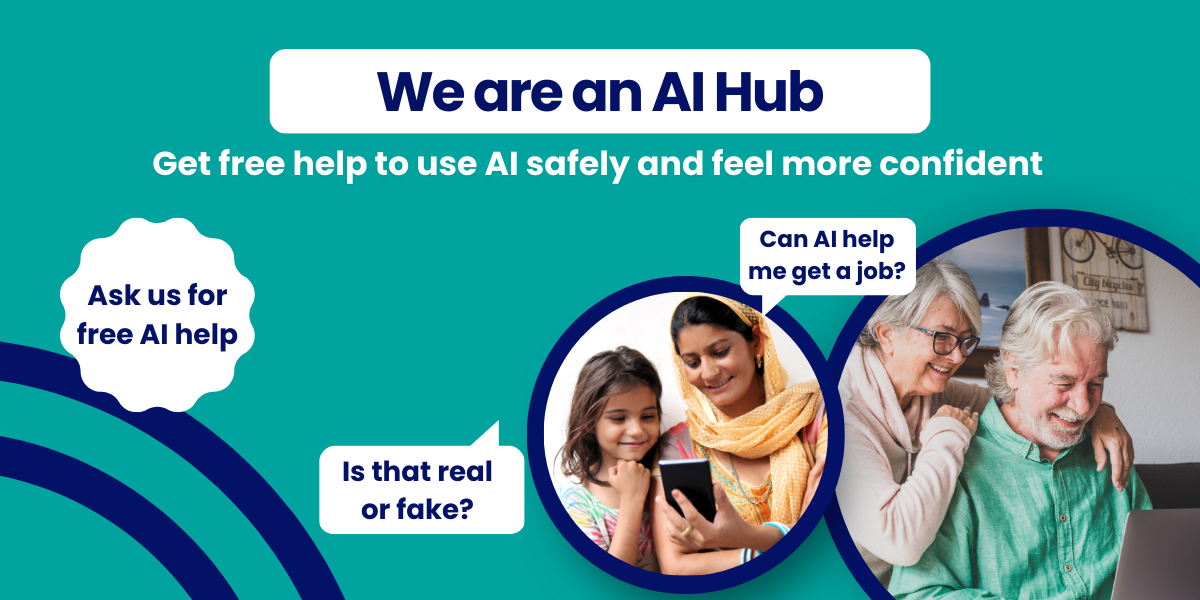
Take your understanding of artificial intelligence a step further in this 2-hour session. Through trusted Be Connected resources, you'll explore real-world uses of AI, learn how it can support everyday tasks, and develop the confidence to use AI tools responsibly. The AI Hub is funded by the Good Things Foundation.
[More]
$0Limited
Introduction to AI - Part II
<p>Take your understanding of artificial intelligence a step further in this 2-hour session. Through trusted Be Connected resources, you'll explore real-world uses of AI, learn how it can support
<p>Take your understanding of artificial intelligence a step further in this 2-hour session. Through trusted Be Connected resources, you'll explore real-world uses of AI, learn how it can support
This hands-on 2–2.5-hour session helps older Australians become more confident with smartphone apps. It introduces what an app is, where to find and download them, and how apps can simplify everyday activities such as checking travel cards, managing phone bills, and accessing government services. Learners will explore useful apps, learn how to manage app settings, and practise using real-life apps to build independence and digital confidence.
[More]
$0Limited
Apps that make life easier
This hands-on 2–2.5-hour session helps older Australians become more confident with smartphone apps. It introduces what an app is, where to find and download them, and how apps can simplify everyday
In his workshop, you will learn the basics of how to navigate your way around a smartphone with a touchscreen. You will learn how to turn the phone on and off, make and receive calls, add a contact and look up a contact, and change the volume on the phone. You will also learn briefly about apps, what they are, how to download them, and the costs associated with them. What you’ll need: An internet-connected smartphone An existing Apple account (or Apple ID), for downloading apps to...
[More]
Curious about AI but not sure where to start? Join our friendly 2‑hour introductory session and learn the basics of artificial intelligence using the trusted Be Connected learning materials. Perfect for beginners, this session will show you what AI is, how it works, and simple ways it can help in everyday life. The AI Hub is funded by the Good Things Foundation.
[More]
Mandarin speaking only. This 2–2.5-hour introduces older Australians to artificial intelligence (AI) in everyday life. Learners will discover what AI is, explore examples they might already use (like voice assistants and online suggestions), and practise trying simple AI tools such as Siri, Google Assistant/Gemini, or ChatGPT.
[More]
In this class you will learn to use your smart phone to scan a QR code, whether for contact tracing, to access a menu at a restaurant or visit a website. What you'll need: An internet-connected smartphone Note this class is for seniors aged over 60. Hornsby Ku-Ring-Gai Community College has received funding to run these low-fee courses under the Tech Savvy Seniors Program – a NSW Government initiative in partnership with Telstra. Photo ID is required.
[More]
This relaxed 2–2.5-hour session is all about helping older Australians feel more confident using their smartphones or tablets to stay in touch. The session focuses on making and receiving calls, sending and replying to text messages, recognising notifications, and managing contacts. We’ll also introduce messaging apps like WhatsApp or Messenger for those ready to explore further. Each topic includes a short demo followed by a hands-on activity. Learners will leave feeling proud of...
[More]